> For the complete documentation index, see [llms.txt](https://docs.radiant.capital/radiant/llms.txt). Markdown versions of documentation pages are available by appending `.md` to page URLs; this page is available as [Markdown](https://docs.radiant.capital/radiant/project-info/markets/deposit/looping.md).
# 1-Click Loop & Lock
Leverage your Collateral
Radiant Capital provides a loop & lock function that enables users to increase their collateral value by automating the deposit and borrow cycle multiple times.
{% hint style="warning" %}
The loop and lock function of Radiant may not execute if the selected leverage would cause your **health factor to drop below 1.11**. If the loop transaction fails to execute, lower your leverage using the sliding scale.\
\
Additionally, the loop & lock feature automatically ensures [dLP eligibility](/radiant/project-info/rdnt-tokenomics/liquidity-provisioning/eligibility.md). If a user is already eligible, zero ETH will be borrowed. As you can see in the video below, there will be zero ETH borrowed if a user is NOT required to add more dLP.
If a user is ineligible for RDNT emissions, the loop & lock tool will automatically borrow the ETH necessary to zap into a locked dLP position to maintain the minimum 5% dLP requirement for activating RDNT emissions. \
\
Slippage is set by default at 5% but can be customized from the zap section.
\
Lastly, the dLP will be locked for your Default Locking Length, which can be updated under the [Manage page.](/radiant/project-info/manage-radiant.md)
{% endhint %}
{% embed url="" %}
### Unwind
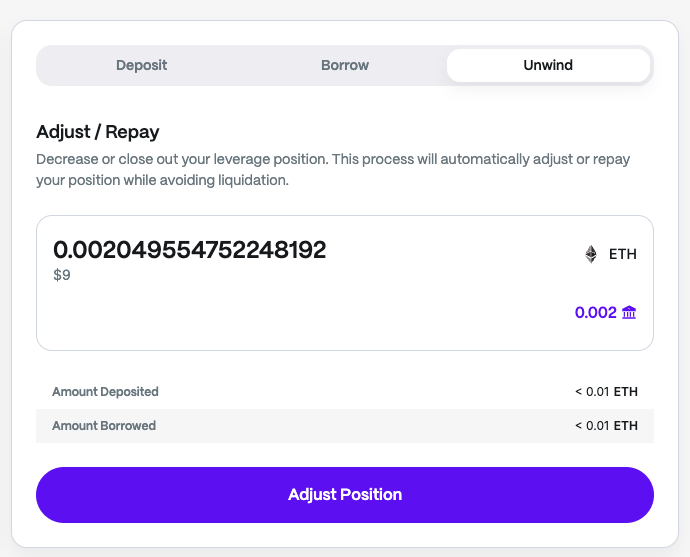
The **Unwind** feature provides a simple, one-click way to exit a loop strategy. Instead of manually reversing each step of the borrow-and-deposit cycle, Unwind bundles the process into a single transaction for convenience.
When selected, the tool will automatically repay borrowed assets and withdraw collateral according to the position, mirroring the same mechanics of a manual unwind but without requiring multiple individual actions.
Unwind is available within each market, offering an easier and faster way to manage or close leveraged positions alongside the Loop & Lock feature.